

Understand it.
Improve it. Ship it.
Ask Blink to explain code, find issues, suggest improvements, or refactor a section. When a change is needed, Blink can propose code edits for you to review.
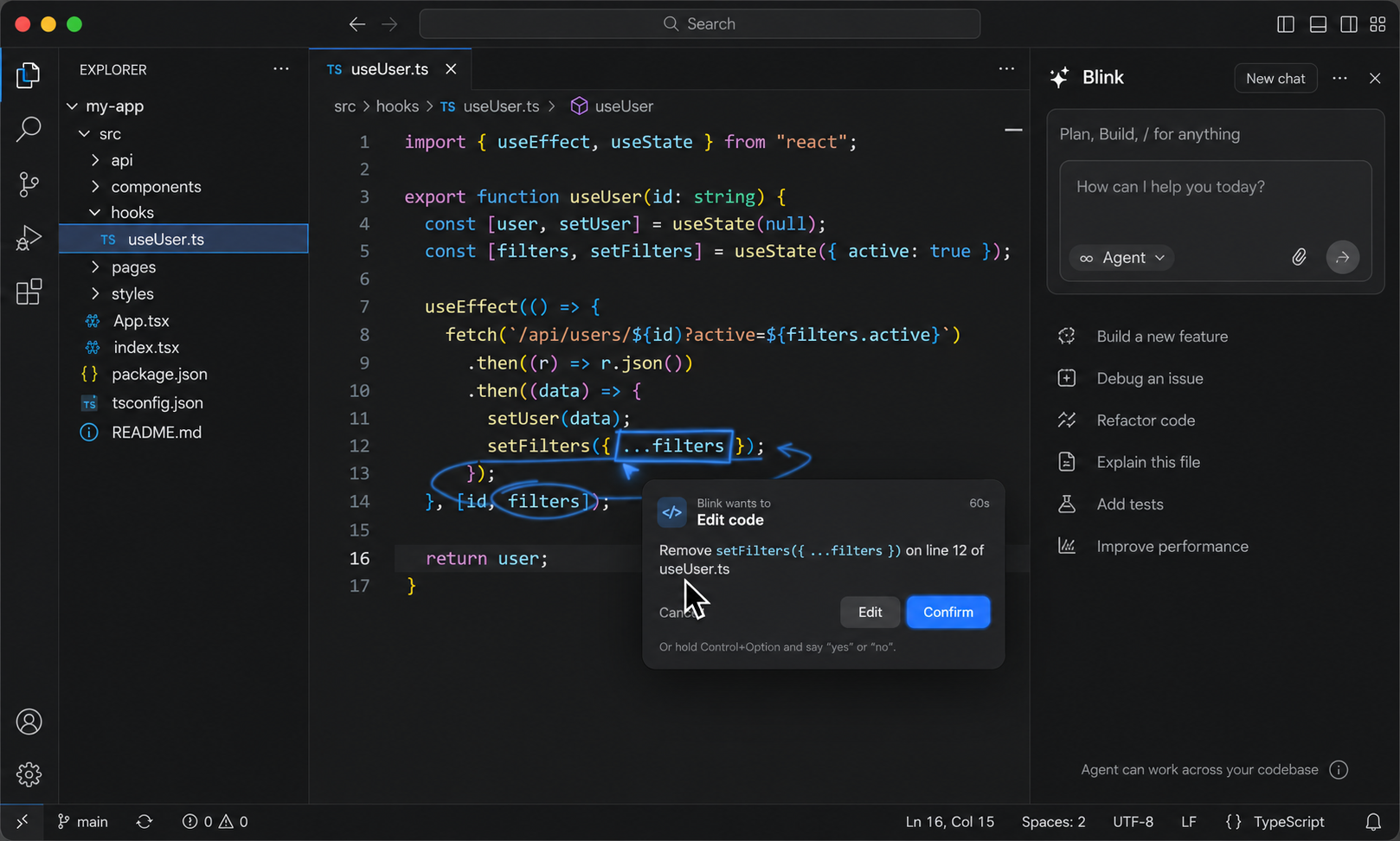
Tell Blink what you're trying to do. It sees your screen, finds the right place, and shows you where to click.
✳ A QUICK LOOK
A real moment with Blink, right where you're working.
WHY BLINK
Every app on your Mac comes packed with years of features. How to actually use them is scattered across help docs, YouTube tutorials, forum threads from 2019… and a lot of it only exists in people's heads.
The designer who knows the shortcut that saves an hour. The analyst who can build that formula in their sleep. The teammate you message every time Settings hides something again.
We think the gap between having the tool and knowing how to use it is about to close. Blink sees what you see, knows how the app works, and shows you, right where you're working.
Blink brings coding, visual feedback, connected tools, and AI agents together—so you can move from a question to a finished task without losing your flow.
Ask Blink to explain code, find issues, suggest improvements, or refactor a section. When a change is needed, Blink can propose code edits for you to review.

Annotate what you’re looking at to show Blink exactly what needs attention. Use visual context to describe an issue, request a change, or ask a question.
Connect Blink with the tools you use to build and work. Give it the context it needs to help across your workflow, with less switching between apps.


Ask an AI agent to take on a task, explore the problem, or carry out a workflow. Review its suggestions and changes, then decide what happens next.
Compare the latest feedback and draft a short summary.
Blink helps you understand the work, see what could be better, and take the next step.
IMAGINE A FIRST DAY
New laptop, new tools, and a pipeline review on Thursday. Here's how his morning goes with Blink.
Kanu sends him the Q3 pipeline sheet and asks for a summary by region before lunch.
Pivot table. Insert, up here. Drag Region into Rows, then Deal Value into Values. I'll point at each one as you go.
He has to update the deck cover but has never opened Figma before.
Double-click the title, right where I'm pointing. The font settings are in the panel on the right.
Thursday's review needs Kanu and the sales lead in the same room.
I found 3:00 PM. Here's the invite. Should I send it? Nothing goes out until you confirm.
↗ Karan never opened a tutorial. He never had to work out what to search for. Blink was already looking at his screen, so it knew what would help.
Blink can help right inside the apps already on your Mac—from email and chat to design, code, and music.
NO PROMPTS. NO SETUP.
No prompt engineering. No building agents. No choosing a model. No copying screenshots into a chat window.
Hold a shortcut, say what you're trying to do, and keep your eyes on your work. Blink handles the rest.
✳ A FEW GOOD QUESTIONS
A little more about how Blink works, what it sees, and how you stay in control.
Blink is a Mac companion that helps you use the software you already have. Tell it what you’re trying to do, and it uses what’s on screen to help you find the next step.
ALREADY HAPPENING
We're bringing Blink to Mac soon. Join the early list and be first to try it.
Get early accessYOUR CURSOR CALLED
Join the list and we'll send your download link as soon as your spot opens up.
We’ll use your name and email to contact you about Blink early access. Formspree processes and stores your submission.
EARLY ACCESS · MACOS